Sales & collections
Know who owes you, and remind them on time
Invoices, receivables and payment reminders that stop when the bill is paid.

- Receivables by age
- Reminders that stop
- Pay by UPI
Sales and receivables in one place
- Filter to overdue bills only
- Share a ledger statement with the customer
- Search, date and status filters on every register
Read more
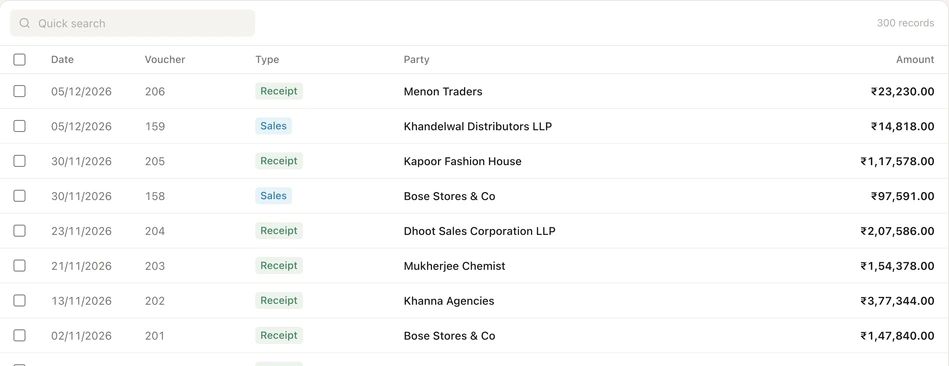
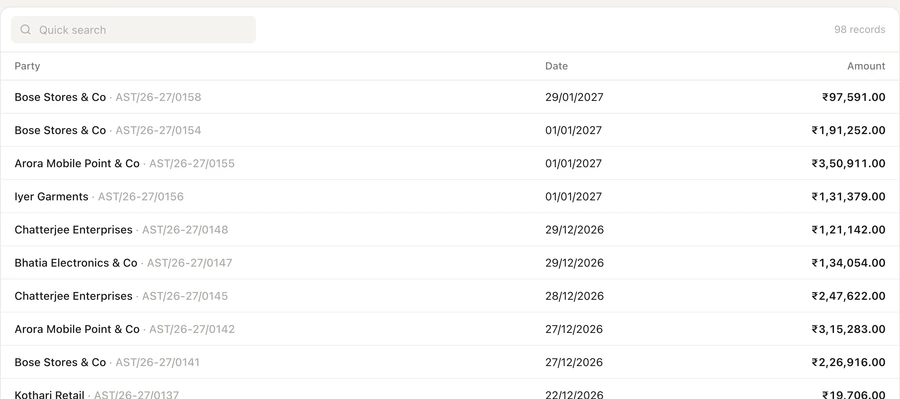
The Sales screen has tabs for invoices, the sales register, orders, credit notes, delivery notes, proforma invoices and quotations, plus e-invoices and e-way bills. Receivables shows what each customer owes, grouped by age, with their recent bills and receipts. Open a customer's ledger to see the statement, share it as a PDF or send a reminder from the same page. On the phone, the Ledger tab shows net receivable and payable with call and WhatsApp buttons.
Payment reminders that run on their own
- A history of every reminder sent, failed or stopped
- Send a one-off reminder from any customer's ledger
- Sent within the hour you choose, India time
Read more
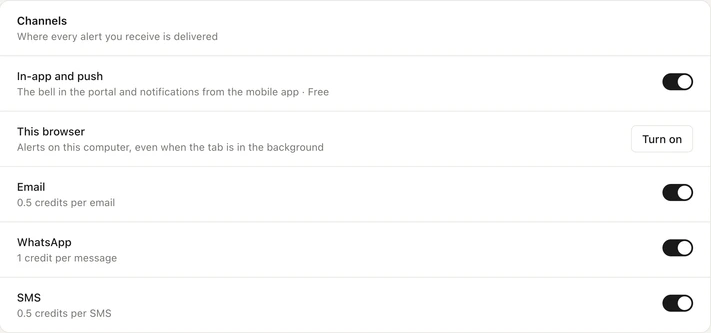
Set up to six reminder rules, each for a number of days before the due date, the due date itself, or a number of days after it. Every rule has its own send time, its own channels (WhatsApp, email or SMS) and a list of parties to skip. A minimum outstanding, ₹500 unless you change it, leaves small balances alone. As soon as a receipt is recorded in Auditer or the sync shows the bill paid, the remaining reminders for that bill are not sent.
Invoices and reminders customers can pay from
- Share on WhatsApp or download the PDF
- Thermal layouts for counter billing
- e-Invoiced bills print the IRN and signed QR code
Read more
Share any invoice as a PDF from the web portal or the app, in the Tally Classic, Auditer Thermal (80 mm or 58 mm paper) or Auditer Executive layout. Add your bank account, terms and a UPI payment QR code once in Voucher Configuration. Reminders then carry your UPI ID, and WhatsApp and email reminders can carry a QR code for the exact amount due, with the invoice number as the payment note.
How to set up payment reminders
- 1Check contact details
- 2Open Payment Reminders
- 3Set your rules
- 4Check the history
Read more
- 1. Check contact details. Make sure each customer's ledger in TallyPrime has a mobile number for WhatsApp and SMS, or an email address, then sync.
- 2. Open Payment Reminders. Find it in Settings on the web portal, or under Settings, Notifications in the app.
- 3. Set your rules. For each rule choose when, the send time and the channels, then set the minimum outstanding and any parties to skip.
- 4. Check the history. Reminder History lists each message by day, with the party, bill, amount, rule and channel.
What it costs
Estimate your costRead more
Sales screens, receivables, ledgers and the reminder feature are free. Each reminder message is charged by channel, and sharing an invoice as a PDF costs 0.10 credit, once per document.
- WhatsApp reminder
- 1 credit
- Email or SMS reminder
- 0.5 credit each
- Invoice shared as PDF
- 0.10 credit
Frequently asked questions
Sales & collections brings your sales invoices, sales register, receivables and customer ledgers from TallyPrime to the web portal and the Android and iPhone apps, with automatic payment reminders. It helps owners and collection staff see who owes what and follow up on time. The reminder feature is free; each message costs 1 credit on WhatsApp or 0.5 credit by email or SMS.
How do I send payment reminders to customers from Tally?
Connect TallyPrime to Auditer, make sure each customer's ledger has a mobile number or email, and set reminder rules in Payment Reminders. Auditer sends them from the outstanding bills synced from TallyPrime, before, on or after the due date.
Do payment reminders stop when the customer pays?
Yes. When a receipt for the bill is recorded in Auditer, or the next sync shows the bill paid in TallyPrime, the remaining reminders for that bill are not sent. Reminder History marks it as stopped.
How much does a WhatsApp payment reminder cost?
1 credit per message, which is ₹1 plus GST. Email and SMS reminders cost 0.5 credit each, and the reminder feature itself is free.
Can I skip some customers or small balances?
Yes. Each rule has a list of parties to skip, and a minimum outstanding, ₹500 by default, leaves smaller bills out.
Where does Auditer get the due date of a bill?
From the bill-wise details in TallyPrime. If a bill has no due date there, Auditer counts 30 days from the bill date when sending reminders.
Related features
Bring your Tally books with you
Install the Agent, connect TallyPrime and see your business on any screen in minutes. Start with 10 free credits.
10 free credits. No card needed.