Inventory
Know what is in stock, and where
Stock by item and godown, low stock and reorder, from the same books.

- Stock by godown
- Reorder in time
- Values for the right people
Stock by item and godown, with lists that matter
- Reorder points by group or item, with alerts immediately, daily or weekly
- Expiry warnings from 7 to 90 days ahead
- The Stocks tab in the app shows the same lists
Read more
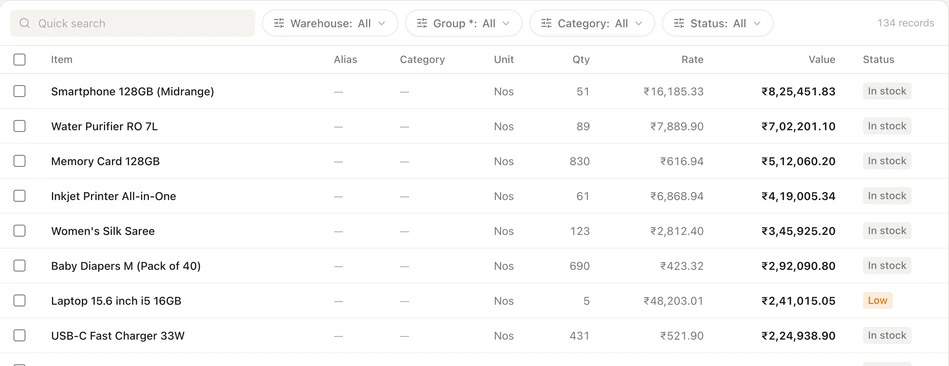
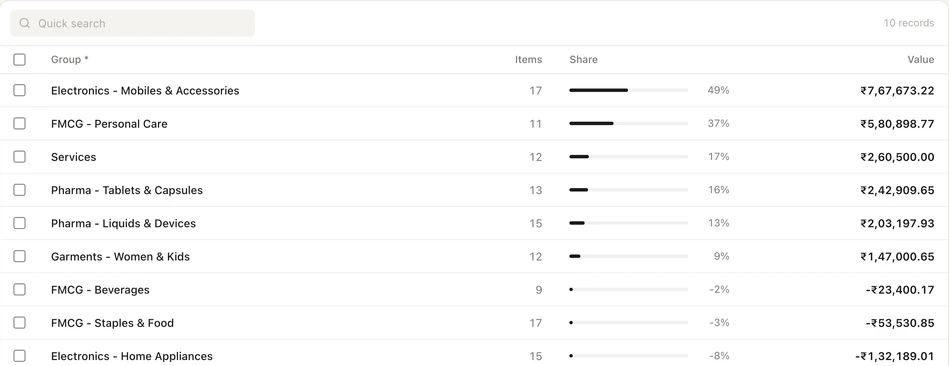
Stock items, groups, units, godowns, batches and closing quantities and values come from TallyPrime through the sync. See on-hand stock by godown, a valuation summary and each item's stock ledger. Watchlists pick out low stock, the reorder queue, negative stock, aged items, fast and slow movers, the expiry schedule and HSN codes that need fixing. Valuation is the figure TallyPrime calculates; Auditer does not apply a method of its own.
Record stock movements where they happen
- A reason recorded with every adjustment
- Barcode labels printed from Auditer
- 0.10 credit for each entry posted to TallyPrime
Read more
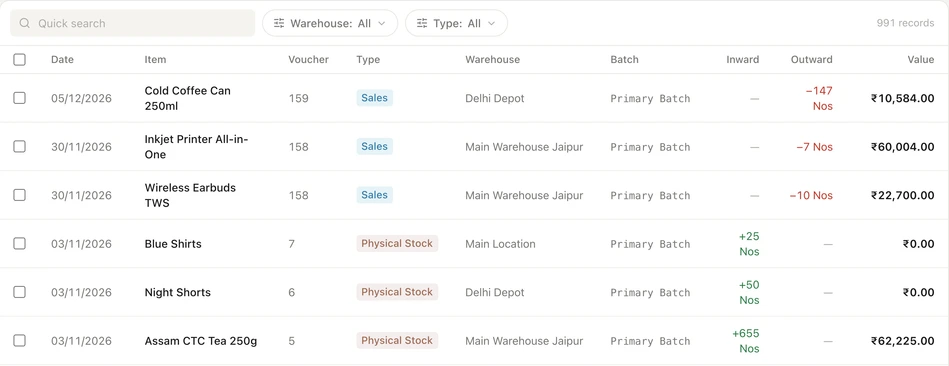
Create stock transfers between godowns, and stock adjustments with a reason: damage, shortage, expired, lost, excess or correction. Add new stock items, with the HSN code checked against the official list, and new godowns. The Auditer Agent posts each entry into TallyPrime, and My Entries shows when it is in. Transfers and adjustments go into the current financial year.
Stock values only for the right people
- A ready-made Inventory role for storekeepers
- Godown-level data access
- Hidden values shown as a dash
Read more
A storekeeper needs quantities, not your margins. Cost price, stock valuation and margin can be hidden for any role, and then show as a dash. Data access can also limit a member to chosen godowns, so a storekeeper sees only the godown they run. Each member can check what they can see under My Access.
How to set stock alerts
- 1Sync your stock
- 2Open Stock Alerts
- 3Set your levels
- 4Choose how often
Read more
- 1. Sync your stock. Connect TallyPrime; items, godowns and quantities arrive with the first sync.
- 2. Open Stock Alerts. Find it in Settings on the web portal, or under Stocks, Stock Settings, Alerts in the app.
- 3. Set your levels. Choose reorder points by group or item, whether to include negative stock, and how early to warn about expiry.
- 4. Choose how often. Get alerts immediately, daily or weekly. Push and in-app alerts are free.
What it costs
Estimate your costRead more
Stock views, watchlists, and push and in-app alerts are free. Each stock transfer, adjustment, new item or godown created in Auditer costs 0.10 credit when it is posted to TallyPrime.
- Stock views, watchlists and in-app alerts
- Free
- Stock entry posted to TallyPrime
- 0.10 credit
Frequently asked questions
Inventory shows your TallyPrime stock by item, group and godown on the web portal and the Android and iPhone apps, with watchlists and stock alerts. It helps owners, buyers and storekeepers see what to reorder and record stock movements without a trip to the office. Viewing stock is free; each stock entry posted to TallyPrime costs 0.10 credit.
Can I check Tally stock on my mobile?
Yes. The Stocks tab in the Auditer app shows stock value, low stock, fast movers, aged stock, the reorder queue and godowns from your TallyPrime data. The web portal shows the same with more detail.
Does Auditer show godown-wise stock?
Yes. Auditer shows on-hand stock for each godown synced from TallyPrime, and you can limit a member's access to chosen godowns.
Which stock valuation method does Auditer use?
Auditer shows the valuation TallyPrime calculates and syncs. It has no separate valuation setting, so the figures match your Tally books as of the last sync.
Can a storekeeper see stock without seeing cost price?
Yes. Cost price, stock valuation and margin can be hidden for a role and appear as a dash, while the storekeeper still sees quantities and records transfers and adjustments.
Can I record a stock transfer from my phone?
Yes. In the Auditer app tap the + tab, then Inventory, and create a stock transfer or adjustment. The Auditer Agent posts it into TallyPrime in the current financial year.
Related features
Bring your Tally books with you
Install the Agent, connect TallyPrime and see your business on any screen in minutes. Start with 10 free credits.
10 free credits. No card needed.