Your language
Your books, in the language you think in
Use Auditer in English and 10 Indian languages.


- 11 languages
- Each person's choice
- Tally names unchanged
Screens, reports and help in your language
- Pick your language when you sign up
- Switch in Settings; the change applies at once
- Untranslated labels fall back to English
Read more
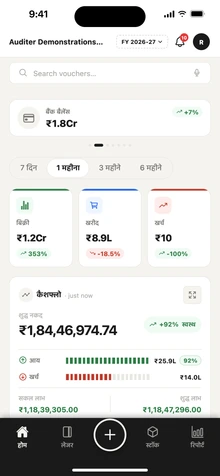
Menus, buttons, screen titles, dashboard tiles, report headings and settings are translated on the web portal and in the apps. Ask Auditer replies in the language you write in. Any label not yet translated appears in English, so nothing is left blank.
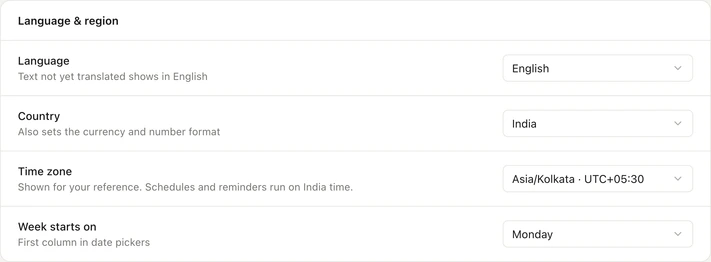
Names and amounts stay as in TallyPrime
- Amounts in the Indian format, such as ₹1,00,000
- Number and date formats are separate settings
- Voucher numbers and GSTINs unchanged
Read more
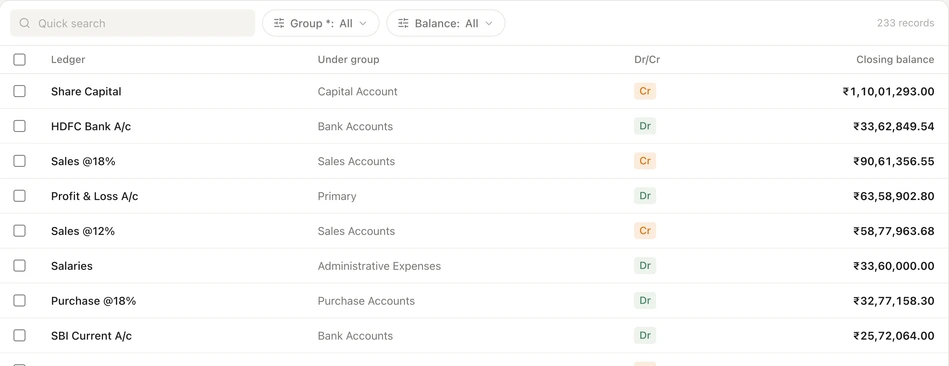
Company, ledger, party, stock item and godown names appear exactly as they are typed in TallyPrime, in every language. Amounts, quantities, voucher numbers, GSTINs and HSN codes are not changed, and messages from government portals are shown as the portal sends them. So when an owner reads in Gujarati and the accountant in English, both see the same names and the same figures.
One team, several languages
- Owners, accountants and staff each choose
- No extra charge for any language
- Write to [email protected] if a word reads oddly
Read more
Language is a personal setting. An owner can read the morning dashboard in Gujarati while the accountant works on the web portal in English and a salesperson creates orders in Hindi. Staff learn faster when they learn the screens in the language they will keep using.
How to change your language
- 1On the web portal
- 2In the app
- 3Carry on working
Read more
- 1. On the web portal. Open Settings, then Language, and pick one of the 11 languages.
- 2. In the app. Tap your avatar on Home, open Language and Region, choose a language and tap Save Changes.
- 3. Carry on working. The change applies at once and only to you; everyone else keeps their own choice.
What it costs
Estimate your costRead more
Every language is free for every user. There is no language pack or add-on to buy.
- All 11 languages
- Free
Frequently asked questions
Auditer's web portal and Android and iPhone apps work in 11 languages: English, Hindi, Marathi, Gujarati, Punjabi, Bengali, Tamil, Telugu, Kannada, Malayalam and Odia. Each owner, accountant and staff member chooses their own, so one team can read the same books in several languages. Every language is free for every user.
Which languages does Auditer support?
English, Hindi, Marathi, Gujarati, Punjabi, Bengali, Tamil, Telugu, Kannada, Malayalam and Odia, on the web portal and the Android and iPhone apps.
Can I see my Tally data in Hindi on my phone?
Yes. Set the Auditer app to Hindi and its screens, labels and report headings appear in Hindi, while your ledger names and amounts stay as they are in TallyPrime.
Are ledger and party names translated?
No. Names you created in TallyPrime appear exactly as typed there, in every language, so everyone sees the same names.
Can each team member use a different language?
Yes. Language is a personal setting, so an owner can use Gujarati while the accountant uses English in the same workspace.
Does Auditer cost more in regional languages?
No. All 11 languages are free for every user.
Related features
Bring your Tally books with you
Install the Agent, connect TallyPrime and see your business on any screen in minutes. Start with 10 free credits.
10 free credits. No card needed.